









PictureMaker for AI
- Subscription
- 4.2
- V1.0.0
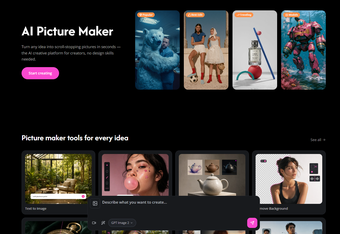
Turn any idea into scroll-stopping pictures in seconds — the AI creative platform for creators, no design skills needed.
Welcome to PhotoMaker: Practical AI Creation and Controlled Consistency
AI image generators have opened up incredible creative possibilities, but they often share a common limitation: a lack of control. If you have ever tried to modify a single detail in an AI-generated image, you know how frustrating it is when the entire picture changes.
PhotoMaker is designed to solve this exact issue. It is an AI-powered creative suite that takes your natural language descriptions and turns them into high-quality pictures in seconds, all while prioritizing controlled consistency.
The Power of Controlled Consistency
Traditional generators often feel like a roll of the dice. PhotoMaker changes this by putting you in control. Instead of leaving your final image up to the whim of a chaotic generator, you upload an existing reference photo.
Using simple natural language commands, you can guide the AI to modify specific elements—like placing a product in a seasonal setting or swapping out a cluttered background—while keeping your main subject intact. It provides the speed of generative AI combined with the predictability of traditional editing.
Core Features Built for Your Workflow
PhotoMaker is equipped with a versatile suite of tools to handle different aspects of digital creation:
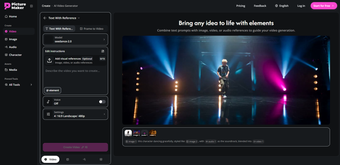
Text With Reference: Generate new scenes or variations while maintaining the likeness of a specific person, object, or style from your uploaded reference.
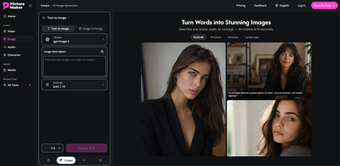
Image to Image: Upload an existing photograph and seamlessly transform its environment, lighting, or overall style using a simple text prompt.
Remove BG: Quickly isolate your subject from its background with a single click, saving you from tedious manual masking.
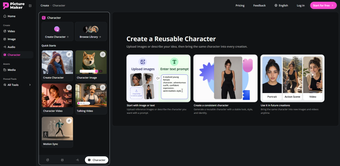
Create Character: Build consistent character assets with distinct features, making it much easier to storyboard, illustrate, or create recurring visual content.
Smart Shot: Enhance and refine your photographs to achieve a clean, professional aesthetic instantly.
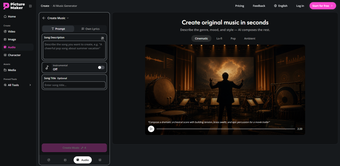
Create Music: Going beyond visuals, the platform also includes an intuitive tool to generate custom audio, helping you soundscape your videos and digital projects.
Who is PhotoMaker For?
Because it bridges the gap between complex graphic design and automated editing, PhotoMaker supports a wide variety of workflows:
Content Creators & Digital Artists: Streamers, video editors, illustrators, UX/UI designers, and digital nomads who need to quickly generate backgrounds, consistent character concepts, or social media graphics on the go.
Businesses & Marketers: Small and Medium Enterprises (SMEs), freelancers, and marketing professionals looking to create product mockups, ad variants, and marketing materials without high production budgets.
Hobbyists & Tech Beginners: Home users, casual gamers, movie enthusiasts, and self-taught learners who want to experiment with AI art, build custom avatars, or simply bring their creative ideas to life without needing to master complex design software.
While no AI tool is a complete replacement for professional studio photography or human hand-drawn art, PhotoMaker provides a highly practical, reliable way to streamline your everyday visual tasks. If you are tired of unpredictable image generation and want a tool that respects your original subject, explore what you can build at PictureMaker.
Loading…
App specs
Developer
License
Subscription
Version
1.0.0
Latest update
Platform
Web Apps
OS
Internet Explorer
Language
English
PictureMaker for AI
- Subscription
- 4.2
- V1.0.0
User reviews about PictureMaker
Have you tried PictureMaker? Be the first to leave your opinion!
Add reviewTop downloads AI for Web Apps
Top downloads AI for Web Apps
Top downloads AI for Web Apps
Related topics about PictureMaker
Latest articles
Xbox Storm King controller leak shows Gears of War design: reveal could be two weeks away

Quake gets a new expansion for its 30th anniversary

Frank Miller has a new favorite Spider-Man, and it’s the one from Brand New Day

Devolver Digital will become a private company again because creating value for investors is going to kill them

A classic video game that until now you could only buy on DVD is coming to Steam in September
Laws concerning the use of this software vary from country to country. We do not encourage or condone the use of this program if it is in violation of these laws. Softonic may receive a referral fee if you click or buy any of the products featured here.